Local agent automation
Schedule coding agents on your machine.
- Claude Code
- Codex
- Grok
- Cursor
Open Run is experimental and in active development.
Runs the CLIs you already pay for
Open Run drives the claude, codex, grok and gemini CLIs you already use.
- Claude Code
- Codex
- Cursor
- Gemini
- Grok
Starts from the trackers you already use
A change in GitHub, GitLab, Bitbucket, Jira, Linear, or Azure DevOps starts an agent on your machine. No tokens, tunnels, or webhook secrets.
- GitHub
- GitLab
- Bitbucket
- Jira
- Linear
- Azure DevOps
The async coding experience
Let your agents run all night long.
Schedule
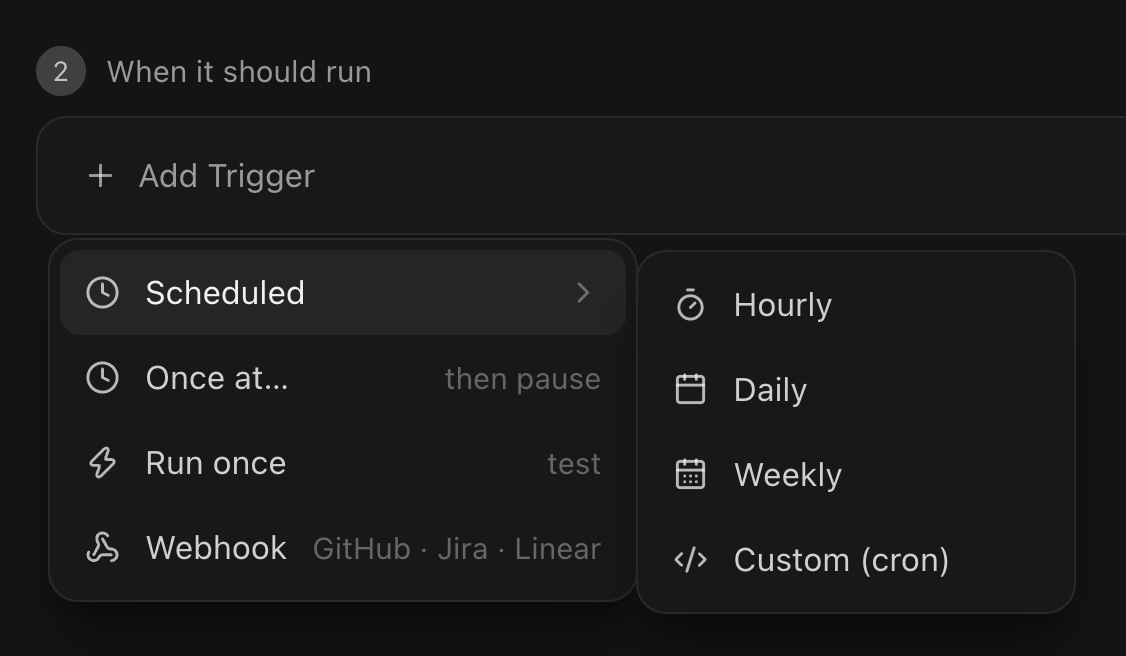
Cron, webhook, or one shot — you pick when
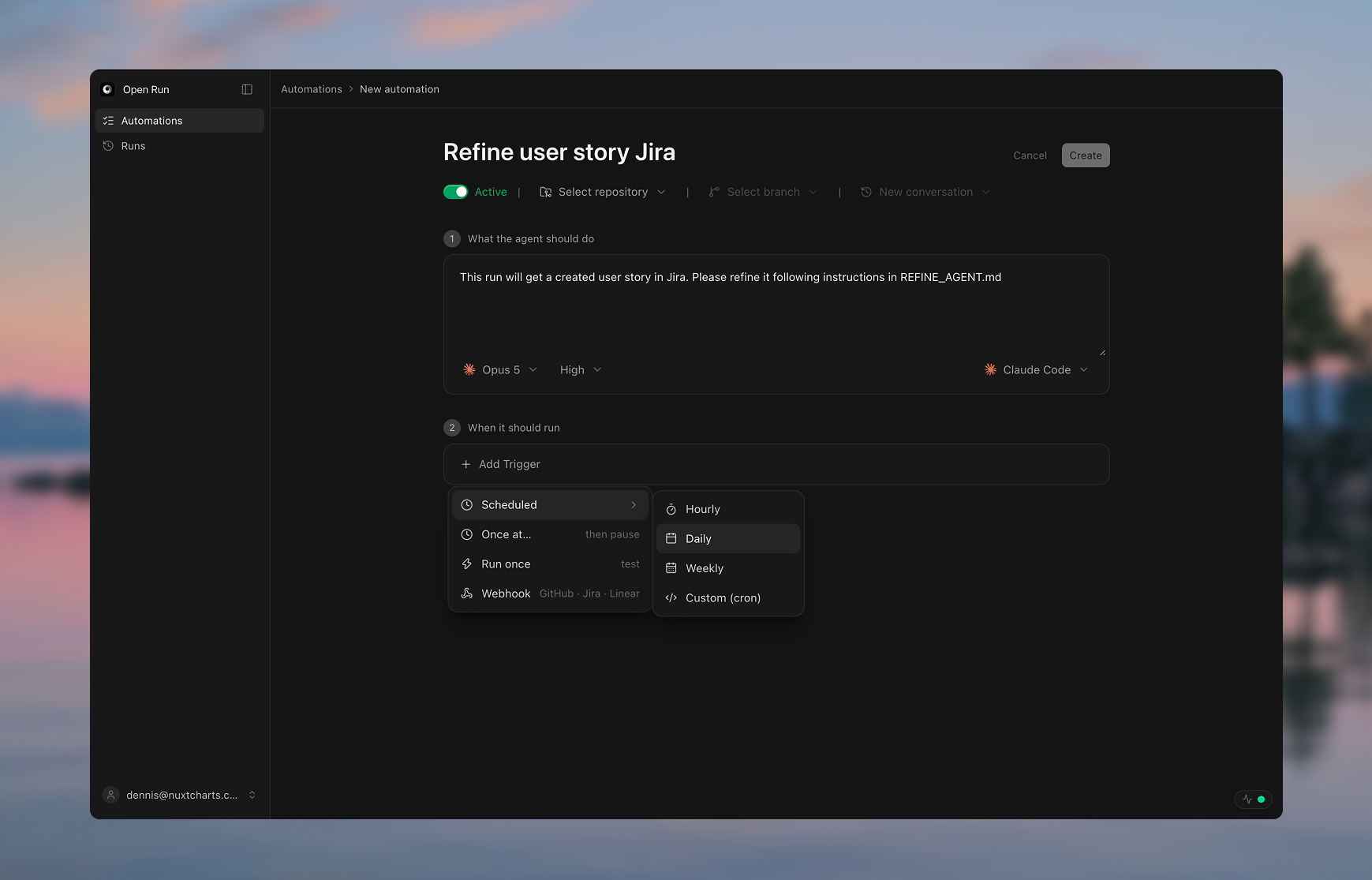
Every automation gets its own triggers. Run on a schedule — hourly, daily, weekly, or a custom cron expression — or wake on a webhook from GitHub, Jira, or Linear. Need a dry run? Fire once and pause, or hit Run once to test without touching the saved schedule.
Runtime
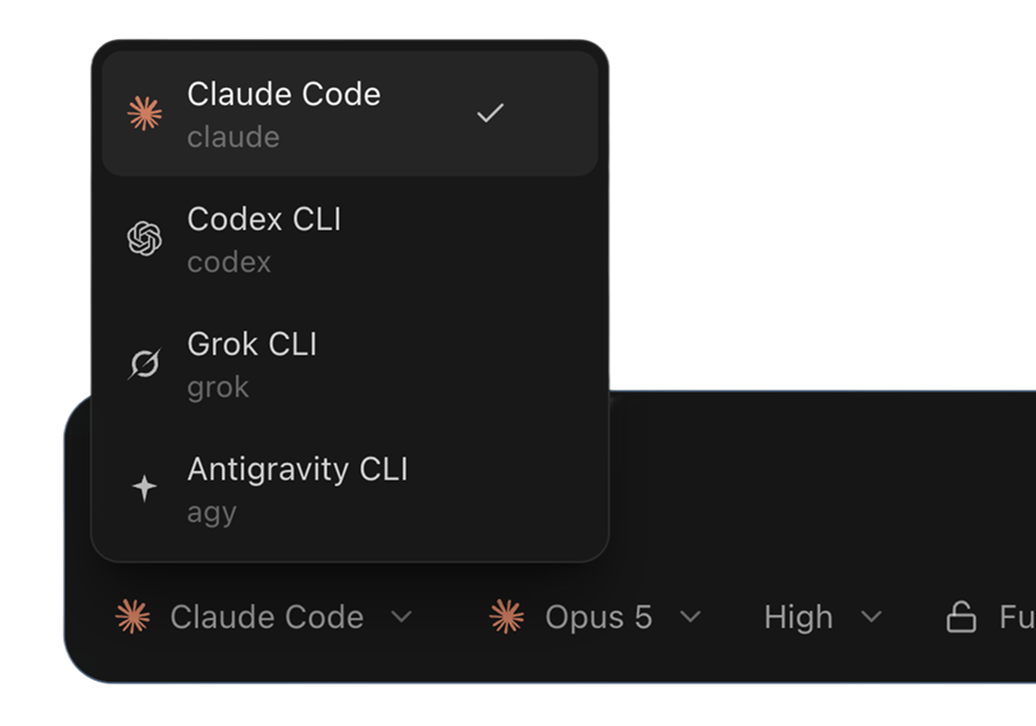
Claude this run, Codex the next
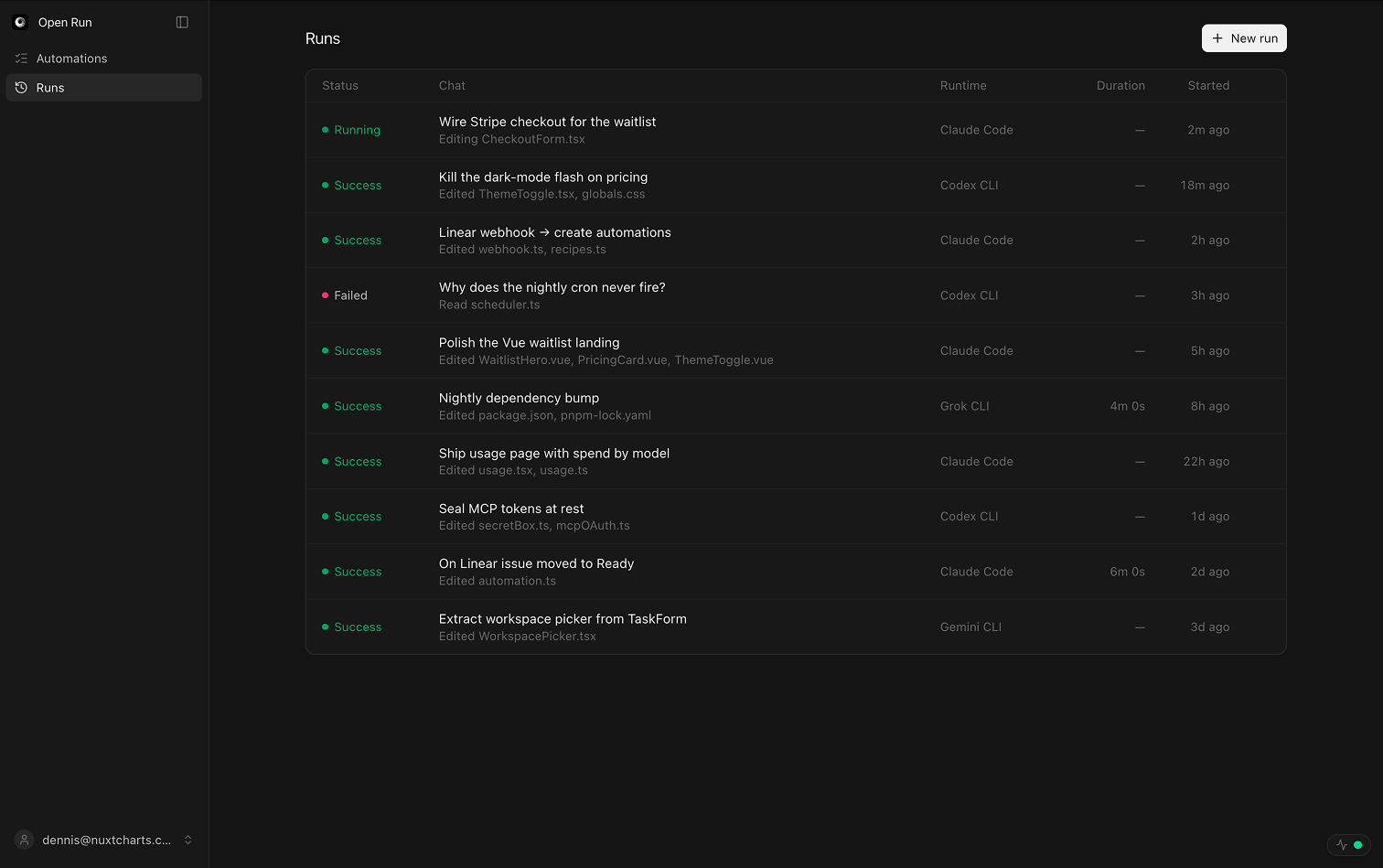
Open the runtime menu and point this send at Claude Code, Codex, Grok, or Antigravity. The next run can be a different binary — the workspace never gets locked to one agent.
Review
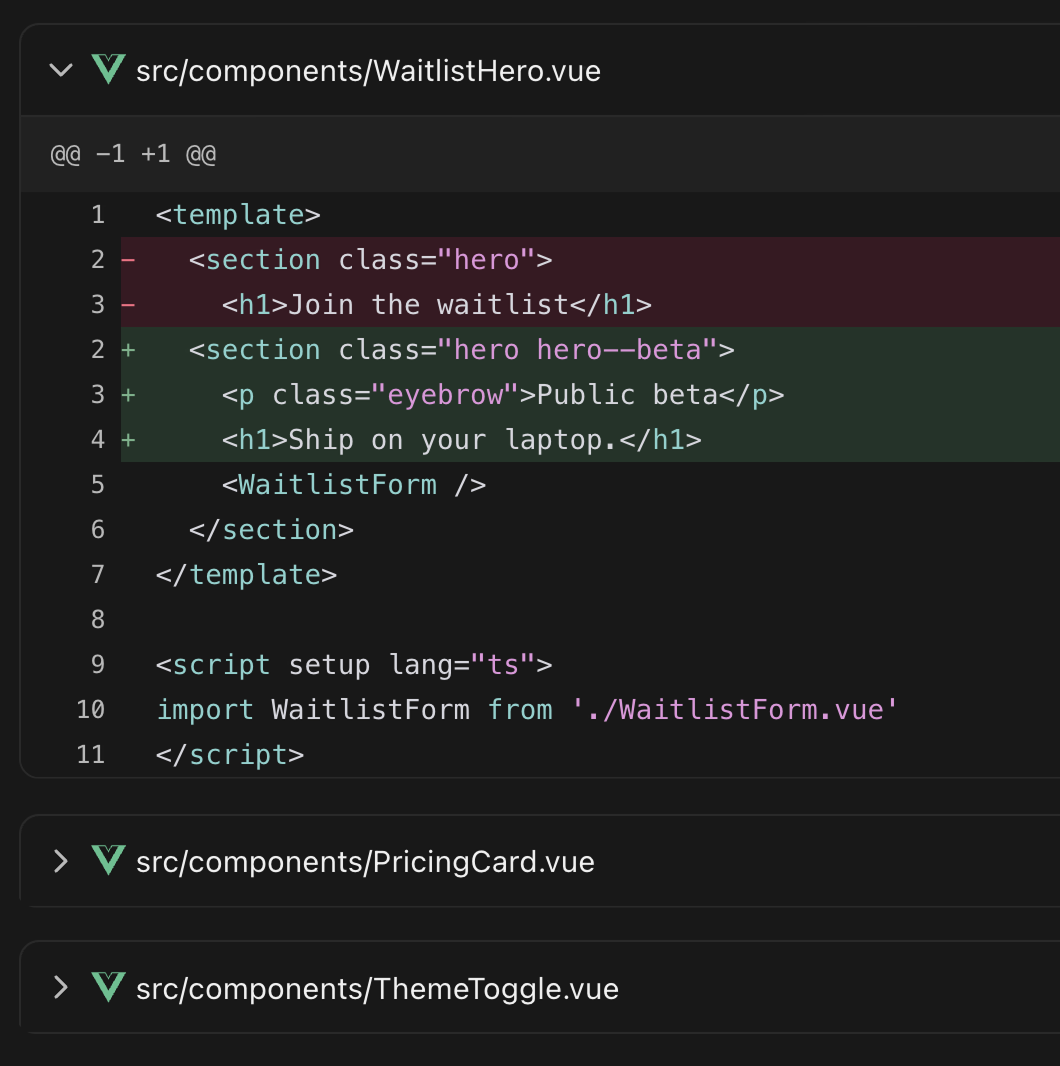
Read the diff before anything ships
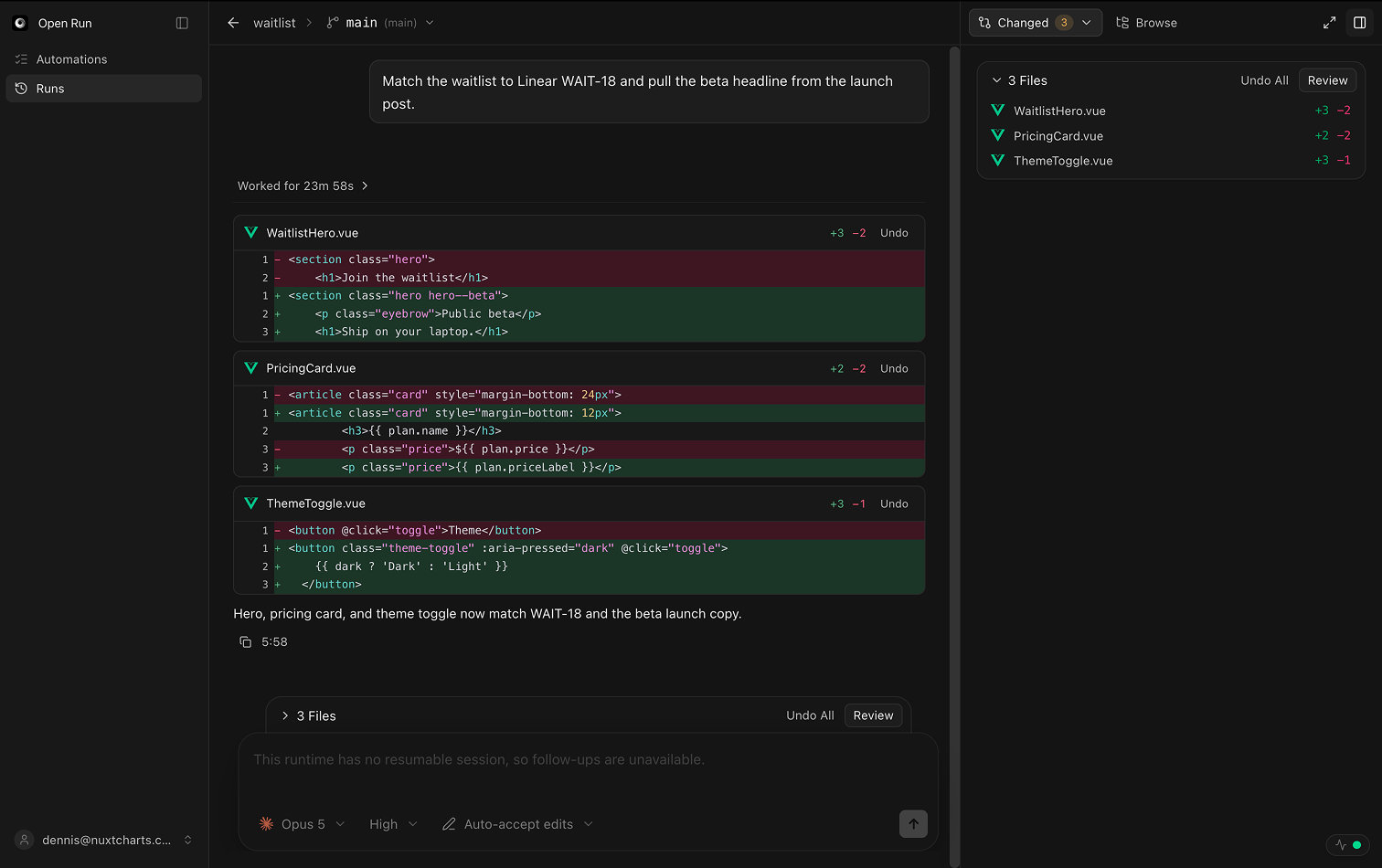
Every run ends in a file-by-file diff, not a wall of agent chatter. Expand the files you care about, skim the rest, and decide what to keep — the branch stays on your machine until you push it.
Git
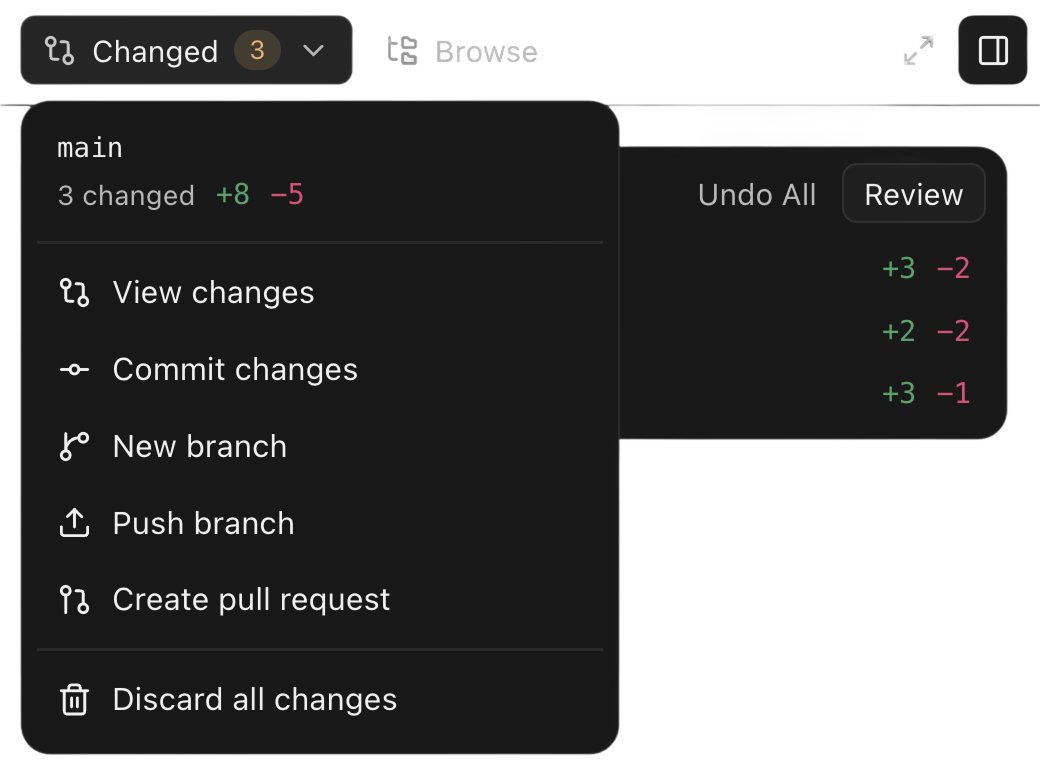
Commit, branch, or open a PR in one click
Every git action a finished run needs sits behind the changed-files menu — commit, cut a branch, push, or open the pull request. Nothing you liked gets thrown away, and Undo All puts the worktree back if you hate it.
Connect the tools your work already lives in
Hosted OAuth for the trackers and integrations below. Missing yours? Tell us which one and we will write when it lands.
- GitHub
- Jira
Vote for what comes next
Pick one to get an email when it ships.
Questions before you clone it
Short answers. The long ones live in the docs.
Do I need an API key?
No. Open Run drives the
claude,codex,grok,gemini,agyandfxbinaries you are already logged into, as child processes. It holds no model API keys and sends no prompt or file to a model provider itself — the runs bill through the CLI subscription you already pay for. The one call it makes on its own is reading your Claude plan limits with Claude Code's own login, whichOPENRUN_CLAUDE_LIMITS=0turns off.Does my code ever leave my machine?
No. Your repositories stay where they are on disk, and runs, prompts, transcripts and diffs live in a SQLite file next to them. The optional account carries integration events in one direction — into your machine — and the relay socket sends nothing back but a hello and an ack.
Do I need an account to use it?
No. There is nothing to sign up for and every local feature works signed out. Signing in to openrun.sh is only for hosted integrations, where the control plane owns the OAuth app so you do not have to.
How does a Jira or GitHub webhook reach localhost?
Your machine dials out to openrun.sh and holds a WebSocket open, so the vendor never needs a route to it. No ngrok, no port forwarding, no firewall change, no signing secret. Events that arrive while you are offline are queued for 24 hours.
What stops an agent from wrecking my repo?
A new automation defaults to its own git worktree under
~/.openrun, on its own branch, so it never writes into the checkout your editor has open — and if you point one at that checkout anyway, the form says so before you save. Every turn ends in a file-by-file diff, and Undo All puts every file back to the snapshot taken when the run started — commits included, unless they have already been pushed, which it refuses to rewrite. Nothing is pushed unless you push it, or you hand that automation the permission to open its own pull request. Runs you start yourself can also go supervised, which surfaces each tool call as Allow/Deny before it happens.Is it safe to expose on my network?
It is not meant to be. Anyone who can reach the HTTP server can run commands as your user, so Open Run binds 127.0.0.1 and refuses to start on a public interface without an access token. If you need remote access, put it behind a VPN or an authenticating proxy.
What do I need installed?
Node 22.6+, pnpm 10+, git, and at least one agent CLI logged in. macOS and Linux natively; Windows through WSL2. The GitHub CLI (
gh) is only needed for pull requests — the button, and any automation you let open one itself.Is it open source?
Yes — everything that runs on your machine is AGPLv3 and stays that way. openrun.sh itself, the account and the integration relay behind it, is closed source; a commercial licence covers the teams that cannot ship AGPL.
Put your agents on a schedule tonight
Clone it, point it at a repository, and let a run finish while you are asleep. No API keys, no hosted runner, no account — AGPLv3 and entirely on your machine.